
Slotbound on Steam Deck: Verified Status and Settings
Slotbound is Steam Deck Verified: what the rating covers, which settings to change first, and why the slot machine loop suits a handheld.
Slotbound is Steam Deck Verified. Valve's checks pass for the default controller layout, Deck-matching glyphs, legible interface text and performance on the default configuration. The game also lists full controller support on Steam, saves at any time, and can be played without timed input.
Handheld is a natural home for a run-based auto-battler, and Slotbound's compatibility data is unusually clean: the Deck report shows a Verified rating with all four test categories passing, rather than the Playable compromises that most strategy games settle for.
What Verified actually means
Valve's Deck rating has four checks behind it, and Slotbound passes all four:
| Check | Slotbound result |
|---|---|
| Default controller configuration fully functional | Pass |
| Controller glyphs match the Deck device | Pass |
| Interface text is legible | Pass |
| Default configuration is performant | Pass |
The glyph check is the one that matters most in practice. A game can support a controller and still show Xbox letters on a Deck, which forces you to translate every prompt. Slotbound shows the right glyphs, so the absorb mode prompt and the spin prompt read correctly on the device.
The SteamOS report is a separate row and shows the game starting up properly on SteamOS. The Deck rating is the one that decides whether the store page shows the green Verified badge, and Slotbound has it.
Controls on a handheld
The control scheme is small enough to fit a Deck without a custom layout:
- Spin is the primary action, mapped to a face button and to the spacebar on keyboard.
- Absorb mode is a separate button hold rather than a menu dive, which is why it works on a controller.
- Pause is a single button, and the game is pausable at any time.
- Save anytime is listed on the store page, so a handheld session can end mid-run.
That last point is the one that makes the Deck version practical. A run can be interrupted, saved and resumed, so the device's sleep behaviour is not a risk to a long campaign attempt. The how to play guide→ covers the full control map.
Settings to change first
The 1.0 hotfix series added two settings that matter on a handheld: Max FPS and Window Size.
Max FPS
The game is pixel art with modest requirements, so an uncapped frame rate mostly costs battery. Cap it. A stable lower cap also makes the auto-battler easier to read, because the unit animations stop fighting the frame pacing.
Window Size
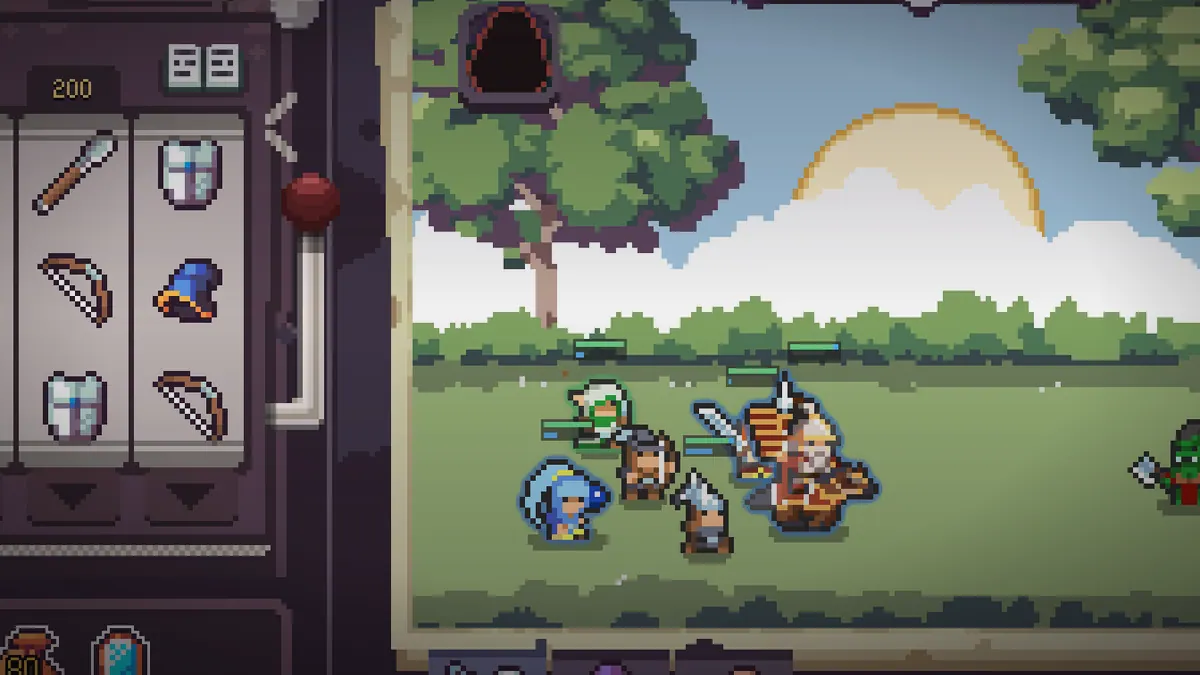
The Window Size setting is the fix for a Deck or small-screen setup where the interface feels cramped. It changes how much of the screen the machine and the battlefield occupy, which matters more on a 7-inch panel than on a monitor.
Text legibility
Valve's legibility check passed, but the machine panel is dense: symbol grid, item row, core strip, and five counters along the top. If you struggle, the Window Size setting is the lever rather than the game's text scale.
Performance expectations
The store page lists modest minimum requirements: a GTX 750 Ti, 4 GB of RAM and 2 GB of storage, with a GTX 1060 and 8 GB recommended. Those numbers describe a 2D pixel game, and the Deck's hardware sits comfortably above the minimum.
Two practical notes:
- The game is Windows and macOS only on Steam. The Deck runs it through Proton, which is exactly the path Valve tested when assigning Verified.
- No Linux build is listed, so do not expect a native Linux client on a desktop. On the Deck this is invisible, because Proton is the default.
Is the Deck the right place to play?
| Situation | Deck fit |
|---|---|
| Short sessions between other things | Excellent: save anytime, spin-based pace |
| Long campaign attempts | Good: suspend and resume works |
| Reading dense stat panels | Acceptable: Verified legibility, but small |
| Precise board manipulation | Good: nudges and locks are button actions |
| Chasing leaderboard clear times | Poor: a handheld is not the fastest input |
The one category where the Deck is clearly worse is competitive clear times. Stop the Clock puts your campaign clear on the clear-time leaderboard, and a controller is slower than a mouse for board manipulation. If you are chasing that, play on desktop.
Cross-progression and saves
Steam Cloud behaviour follows the game's save support, and the game supports saving at any time. There is no separate mobile or console version to sync with, so the Deck and a desktop install are the same Steam account and the same save files.
For a roguelike with run resets, that is enough. The meta layer is achievement progress, which is tied to the account rather than the device.
Sources
Official source: Slotbound on Steam ↗
- Steam store page ↗ for full controller support, save anytime and system requirements.
- Steam Deck compatibility report ↗ for the Verified rating and the four passing checks.
- Steam news hub ↗ for the Max FPS and Window Size settings added in the launch hotfixes.

FAQ
Is Slotbound Steam Deck Verified?
Yes. Valve's report shows a Verified rating with the controller layout, glyphs, text legibility and default performance all passing.
Does Slotbound have controller support?
Yes, full controller support, with glyphs that match the Deck. The game also supports keyboard and mouse.
Can I save mid-run on the Deck?
Yes. Save anytime is a listed feature, and mid-run saving was added during early access.
Does Slotbound run natively on Linux?
No native Linux build is listed. On Steam Deck it runs through Proton, which is how Valve tested it.